
Can a beginner really build a sophisticated AI robot using Arduino? The answer is a resounding yes. With the right guidance, anyone can create a cutting-edge artificial intelligence project.
Building an Arduino AI robot is an exciting project. It combines creativity, engineering, and technology. It’s a great way to learn about robotics and AI, making it an ideal project for beginners.
Key Takeaways
- Learn the basics of Arduino and its application in robotics
- Understand the fundamentals of artificial intelligence
- Acquire hands-on experience in building an AI robot
- Develop problem-solving skills through project-based learning
- Explore the intersection of creativity and technology
Introduction to Arduino AI Robots
Arduino AI robots mix the ease of Arduino programming with AI’s complexity. This blend makes a powerful tool for innovation. It lets both hobbyists and professionals build advanced robotic projects that can sense and adjust to their surroundings.
What is Arduino?
Arduino is an open-source electronics platform that has changed how we make interactive projects. It offers a simple way to write and upload code to a physical board. Arduino is used in many projects, from simple home automation to complex robots.
The Arduino ecosystem has many boards and hardware options. This makes it great for various projects. Its ease and flexibility have made Arduino popular among many.
Overview of AI in Robotics
AI in robotics is changing the field by letting robots do tasks that need human smarts. AI can recognize images, make decisions, and predict outcomes. In Arduino AI robots, AI makes them smarter at interacting with their world.
Adding machine learning and AI to robotics lets robots learn and adapt. This is exciting because it means robots can do complex tasks on their own.
The Importance of DIY Robotics
DIY robotics, like with Arduino, boosts creativity and innovation. By making and coding their own robots, people learn about electronics, programming, and design. This improves technical skills and encourages problem-solving and thinking.
The DIY robotics community is lively and helpful, with lots of learning resources. Joining DIY robotics projects helps people learn and innovate faster.
Essential Components for Arduino Robots
To build an Arduino AI robot, you need to know its key parts. These parts work together to make your robot come to life. It can then interact with its surroundings and do tasks on its own.
Arduino Boards and Kits
The heart of any Arduino robot is the Arduino board. Arduino boards have different models, each with special features. You might choose the Arduino Uno, Arduino Mega, or Arduino Nano, depending on your project.
For starters, an Arduino starter kit is a great choice. These kits have the Arduino board, a breadboard, LEDs, resistors, and more. They help you learn about Arduino projects.
Sensors and Actuators
Sensors are key for an Arduino AI robot. They let it see its environment. You can use ultrasonic sensors, infrared sensors, and camera modules. These sensors help your robot detect things, track objects, and even see faces.
Actuators make your robot move. Motors and servos are common. They let your robot move, pick up things, and do other tasks.
- Ultrasonic sensors for distance measurement
- Infrared sensors for obstacle detection
- Camera modules for vision processing
- Motors for movement
- Servos for precise control
Power Supply Options
Choosing the right power supply is crucial. It needs to give enough voltage and current to all parts.
Batteries are a top choice for Arduino robots. They offer freedom and are easy to use. You can pick between disposable and rechargeable batteries, based on your project.
| Power Supply Type | Voltage | Current Capacity |
|---|---|---|
| Batteries (e.g., AA, AAA) | 1.5V – 9V | Variable |
| Rechargeable Batteries (e.g., LiPo) | 3.7V – 12V | Variable |
| AC Adapters | 5V, 9V, 12V | Up to several Amps |
In summary, knowing the key parts of an Arduino AI robot is key. By picking the right Arduino boards, sensors, actuators, and power supplies, you can make a robot that works well and does what you need.
Setting Up Your Arduino Environment
Getting your Arduino environment ready is the first step to making your AI robot come to life. This involves several important steps that are key to your project’s success.
Installing the Arduino IDE
The Arduino Integrated Development Environment (IDE) is the software you use to write, compile, and upload code to your Arduino board. To install the Arduino IDE, follow these steps:
- Download the latest version of the Arduino IDE from the official Arduino website.
- Follow the installation instructions for your operating system.
- Once installed, launch the Arduino IDE to ensure it’s working correctly.
It’s important to have the latest version of the Arduino IDE. This ensures you have access to the newest features and libraries.
Setting Up Libraries for AI
To add AI to your Arduino robot, you need to set up the right libraries. These libraries offer pre-written code for AI functions, making development easier.
| Library Name | Description | Application |
|---|---|---|
| TensorFlow Lite | A lightweight version of TensorFlow for microcontrollers. | Machine Learning Models |
| Arduino_TensorFlowLite | Official TensorFlow Lite library for Arduino. | AI and Machine Learning |
| MLP | A library for multilayer perceptron neural networks. | Neural Networks |
The right libraries can make integrating AI into your Arduino projects much simpler.
Writing Your First Program
With the Arduino IDE installed and libraries set up, you’re ready to write your first program. Start with a simple sketch to blink an LED, a classic beginner project.
This example will help you grasp the basic structure of an Arduino program and how to work with the hardware.
By following these steps, you’ll have a solid foundation for more complex Arduino AI robot projects. Remember, success comes from understanding the basics and experimenting with different components and code.
Designing Your AI Robot
To bring your Arduino AI robot to life, you need to plan its design carefully. Think about both its looks and how it works. The design process is key because it sets the stage for the robot’s performance and efficiency.
Choosing a Design Framework
The first step is to pick a design framework for your AI robot. This means deciding on the layout, including where to put sensors, actuators, and the Arduino board. A good framework makes building easier and boosts the robot’s abilities.
Key considerations include the robot’s purpose, available materials, and your comfort level with complexity. For example, a navigation robot needs sensors and actuators in the right spots for smooth movement and avoiding obstacles.
Sketching Your Robot Ideas
After picking a framework, sketching your ideas is crucial. This step helps refine your concept, spot problems, and make changes before building. It’s a way to see your robot come to life and share your design with others.
Effective sketching means showing the robot’s parts, how they connect, and their role in the robot’s function. It helps you visualize the final product and improve your design.
Prototyping with 3D Modeling Software
Using 3D modeling software for prototyping is a modern method. It lets you design and test your robot precisely. Tools like Tinkercad or Fusion 360 help you make detailed models, test different setups, and even simulate movements.
Benefits of 3D modeling include spotting design flaws early, saving materials, and making quick design changes. This step is great for complex robots or when using hard-to-work-with materials.
By choosing a design framework, sketching, and prototyping with 3D modeling, you can create a top-notch Arduino AI robot. It will meet your project’s needs and show off your skills in robotics and DIY electronics.
Integrating AI Capabilities
Adding AI to your Arduino robot can change how it works. AI lets robots do complex tasks, make choices, and adjust to new things.
Basics of Machine Learning
Machine learning is key to AI. It helps robots get better over time by learning from data. They use algorithms to predict or decide things.
Key Concepts in Machine Learning:
- Supervised Learning: The robot learns from labeled data.
- Unsupervised Learning: The robot finds patterns in data without labels.
- Reinforcement Learning: The robot learns by trying things and getting feedback.
Using Pre-trained Models
Pre-trained models make adding AI to Arduino robots easier. These models are already trained on lots of data. They can be adjusted for specific tasks, saving time and effort.
| Pre-trained Model | Application |
|---|---|
| TensorFlow Lite | Image classification, object detection |
| Google’s Edge ML | Real-time inference on edge devices |
Future Trends in AI Robotics
The future of AI in robotics looks bright. We’ll see better natural language processing, computer vision, and autonomous systems. These advancements will make Arduino AI robots even more capable.

As AI gets better, we’ll see robots that can learn, adapt, and interact in complex ways. They’ll be able to do more and understand their world better.
Programming Your Arduino AI Robot
Programming an Arduino AI robot needs a good understanding of its code and the right libraries. Good programming is key for any AI robot. It lets the robot do tasks, interact with its world, and learn from new situations.
Understanding Arduino Code Structure
The Arduino code uses C++ programming. This makes it easy for many developers to work with. The code has several important parts:
- Variables and Data Types: These are used to store and handle data.
- Setup and Loop Functions: The setup() function gets the robot ready. The loop() function runs the main program over and over.
- Functions: These are blocks of code that do specific tasks. They make the code easier to read and use again.
Common Libraries for AI Applications
Arduino can do more with different libraries. These libraries make things like sensor use, motor control, and AI easier. Some popular libraries for AI include:
- TensorFlow Lite: It lets machine learning models run on Arduino boards.
- Servo: It controls servo motors, which are important for robot movement.
- Wire: It helps talk to I2C devices, like sensors and actuators.
Debugging Your Code
Debugging is a crucial skill for programmers. For Arduino AI robots, it means:
- Serial Monitor: Using the serial monitor to see variable values and program states.
- LED Indicators: Using LEDs to show program states or errors.
- Testing in Parts: Breaking the program into smaller parts and testing each one.
By understanding the code, using the right libraries, and debugging well, you can make sure your Arduino AI robot works right. It will do complex tasks with great accuracy.
Building the Robot Frame
The foundation of a strong Arduino AI robot is its frame. It must be built with durability and functionality in mind. A good frame supports the robot’s parts, keeps it stable, and helps it move well.
Selecting Materials for Durability
Choosing the right materials for your robot frame is key for its long life and good performance. You can use aluminum, acrylic, or certain plastics. Each has its own strengths, like strength, weight, and cost.
- Aluminum: Known for its strength and being lightweight, aluminum is a top pick for robot frames.
- Acrylic: Acrylic sheets are easy to shape and cut, perfect for quick prototypes and light builds.
- Plastics: Some plastics, like ABS, are durable and flexible, great for detailed designs.
Assembly Tips and Techniques
Assembling the robot frame needs careful planning and doing. Here are some tips for a strong and working assembly:
- Plan Your Design: Before starting, have a clear plan, including measurements and what materials you need.
- Use Appropriate Fasteners: Pick fasteners that fit your materials to avoid damage.
- Test as You Go: Check the frame’s stability and fit as you build it to find problems early.
Importance of Weight Distribution
Weight distribution is key for the robot’s mobility and stability. A balanced robot is easier to control and moves better.
| Weight Distribution | Effect on Robot |
|---|---|
| Evenly Distributed | Improved stability and control |
| Unevenly Distributed | Reduced stability, potential for tipping |
By focusing on these points, you can make a strong and efficient Arduino AI robot frame. It will support your project’s goals well.
Sensor Integration Techniques
An Arduino AI robot needs many sensors to work well. These sensors give real-time data about its surroundings. They help the robot understand its environment and make smart choices.
Types of Sensors for AI Robots
There are many sensors for Arduino AI robots, each with its own job. Some key sensors include:
- Ultrasonic sensors for measuring distance
- Infrared sensors for finding obstacles
- Accelerometers for detecting movement
- Gyroscopes for tracking orientation
These sensors can work alone or together. This makes the robot better at seeing its world.
Wiring and Configuring Sensors
Setting up sensors right is key for good data. You connect the sensor to the Arduino, add libraries, and write code to use the data.
For example, setting up an ultrasonic sensor involves connecting its VCC and GND to the Arduino’s 5V and GND. Then, connect the Trig and Echo to digital pins. Here’s a code example for using an ultrasonic sensor:
digitalWrite(Trig, HIGH);

delayMicroseconds(10);

digitalWrite(Trig, LOW);

duration = pulseIn(Echo, HIGH);

distance = duration * 0.034 / 2;
Enhancing Robot Perception
Improving how a robot sees its world means using sensor data well. Techniques like sensor fusion help mix data from different sensors. This makes the robot’s view more accurate and reliable.
The table below shows different sensors, what they do, and how they help the robot see better:
| Sensor Type | Application | Benefits |
|---|---|---|
| Ultrasonic | Distance measurement | Accurate obstacle detection |
| Infrared | Obstacle detection | Enhanced navigation |
| Accelerometer | Motion detection | Improved motion tracking |
By using sensors well, Arduino AI robots can move and act more on their own.
Actuators: Movement and Control
Actuators are key in robotics, giving robots the ability to move. They turn energy into motion, letting robots do many tasks.
Choosing the right actuators is important for an Arduino AI robot to work well. Different actuators do different things. Knowing their features helps make a robot that does what it’s supposed to.
Types of Actuators for Robotics
There are many types of actuators used in robotics. Here are a few:
- DC Motors: Simple and effective, they provide rotational motion.
- Servo Motors: Precise, they’re used for accurate positioning.
- Stepper Motors: High torque and precise, great for complex movements.
- Pneumatic Actuators: Use compressed air for motion, good for high force tasks.
| Actuator Type | Precision | Torque | Application |
|---|---|---|---|
| DC Motor | Low | Medium | General Movement |
| Servo Motor | High | Low-Medium | Precision Tasks |
| Stepper Motor | High | High | Complex Movements |
How to Control Actuators with Arduino
To control actuators with Arduino, you need to know what the actuator needs. Use the right libraries and circuits. For example, DC motors need PWM signals, while servo motors use special libraries in the Arduino IDE.
Experts say, “The key to controlling actuators is knowing the signals they need. Make sure your Arduino setup can send these signals right.”
“The ability to control movement precisely is what differentiates a mere machine from a sophisticated robot.”
Testing Movement and Response
After adding actuators to your Arduino AI robot, test them. Write test codes to see if they move as expected.
For instance, with a servo motor, write a code to see it move through its range. Check for any odd movements or errors.
By picking and controlling actuators well, developers can make Arduino AI robots that work great. These robots can do complex tasks with precision.
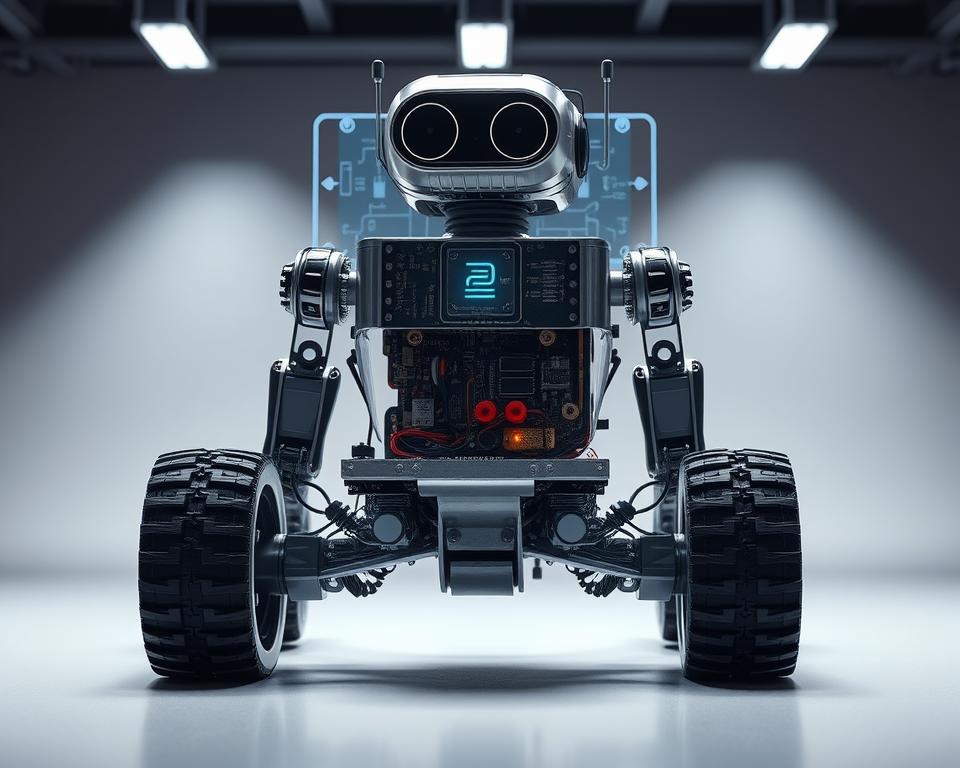
Power Management for Arduino Robots
To keep your Arduino AI robot running smoothly, you need good power management. It’s key for your robot to last longer and work better.
Calculating Power Needs
First, figure out how much power your robot needs. Add up the power used by the Arduino board, sensors, and other parts.
Steps to Calculate Power Needs:
- Find out the voltage and current each part needs.
- Add up the current needs of all parts to find the total.
- Think about the highest current use during busy times.
Battery vs. AC Power
Decide between battery or AC power based on your robot’s use and how mobile it needs to be. Batteries are great for moving around, while AC power is steady and continuous.
“The choice between battery and AC power should be based on the specific needs and constraints of your project.”
| Power Source | Advantages | Disadvantages |
|---|---|---|
| Battery | Portable, Convenient | Limited Duration, Recharge Required |
| AC Power | Stable, Continuous | Tethered, Less Portable |
Safeguarding Your Robot
Protect your Arduino AI robot from power problems. This means avoiding too much voltage, too little voltage, and too much current.
Measures to Safeguard Your Robot:
- Use voltage regulators for a steady voltage.
- Limit current to avoid too much.
- Use fuses or circuit breakers for protection.
With smart power management and safety steps, your Arduino AI robot will be reliable and last longer.
Implementing Communication Options
For Arduino AI robots to work well, they need good communication strategies. This lets users control and check on them from afar. “The ability to communicate effectively is what sets a robot apart from being merely automated to being truly intelligent,” experts say.
Bluetooth vs. Wi-Fi
Choosing a communication method for your Arduino AI robot is key. Bluetooth is great because it uses little power and is easy to set up. It’s perfect for controlling robots from a nearby device.
Wi-Fi, though, lets you control your robot over the internet. This means you can check and control it from anywhere in the world. Your project’s needs will decide between Bluetooth and Wi-Fi.
Key Considerations:
- Range of operation
- Power consumption
- Complexity of setup
- Security features
Remote Control and Monitoring
Adding remote control and monitoring lets users interact with their robots in new ways. This can be done through mobile apps or web interfaces. These tools talk to the robot via Bluetooth or Wi-Fi.
Remote monitoring is super useful for robots that watch or collect data for a long time. It lets users get updates and change the robot’s settings without being there.
“The future of robotics lies in the ability to seamlessly integrate robots into our daily lives, and remote control and monitoring are key to this integration.”
Ensuring Reliable Communication
To make sure communication works well, you need to handle errors and check data. This means checking data for mistakes, dealing with lost connections, and using secure ways to talk.
It’s also important to test and check the communication system often. This helps find and fix problems before they affect the robot’s performance.
Reliable Communication Strategies:
- Implement data encryption
- Use secure authentication mechanisms
- Regularly update firmware and software
Testing and Troubleshooting
Testing and troubleshooting are key steps in making an Arduino AI robot. They help improve and refine your robot. You’ll need to find and fix any problems to make sure your robot works right.
Common Issues and Quick Fixes
When making your robot, you might run into some common problems. These can be anything from broken hardware to software bugs. For example, if your robot doesn’t respond, check the wires for damage. Fixing connections can often solve the issue.
Another issue is sensors not reading correctly. This could be because they’re not set up right or because of interference. Try adjusting the sensors and look for any interference.
| Issue | Possible Cause | Quick Fix |
|---|---|---|
| Robot not responding | Faulty wiring or connections | Inspect and repair wiring |
| Inaccurate sensor readings | Incorrect calibration or interference | Recalibrate sensors and check for interference |
| AI model not learning | Insufficient training data | Increase training data and retrain model |
Test Scenarios for AI Functionality
To check if your Arduino AI robot’s AI works, you need to create detailed test scenarios. These should test the robot’s ability to recognize objects, navigate, and make decisions.
For instance, test how well the robot recognizes objects by placing it in different settings with various objects. See how well it identifies and reacts to these objects.
- Test object recognition in different lighting conditions.
- Evaluate navigation through obstacle courses.
- Assess decision-making based on sensor inputs.
Gathering Feedback for Improvement
Getting feedback is vital for improving your Arduino AI robot. Watch how the robot performs during tests, find areas to get better, and make changes.
You can get feedback by logging data, watching the robot’s actions, and testing it with users. This feedback will help you make the robot’s AI better and more efficient.
By constantly testing, fixing problems, and improving your Arduino AI robot, you can make a highly effective and smart robotic system.
Enhancing Your Robot’s Intelligence
Advanced AI can make your robot smarter. It lets it understand and react to its surroundings better. This is done by adding tech that makes it more interactive and able to make decisions.
Advanced AI Techniques
To make your Arduino AI robot smarter, use advanced AI methods. Here are a few:
- Machine Learning: This lets your robot get better with time by learning from data.
- Neural Networks: They help your robot recognize patterns and make choices.
- Deep Learning: A part of machine learning that deals with lots of data types.
Implementing Voice Recognition
Voice recognition is a cool feature. It lets your robot understand and act on voice commands. To add voice recognition, do this:
- Choose a voice recognition module or library that works with Arduino.
- Teach your robot to recognize certain words or phrases.
- Connect the voice recognition to your robot’s AI system.
Utilizing Vision Processing
Vision processing lets your robot see and understand what’s around it. Here’s how:
- Attach a camera to capture images or video.
- Use image processing algorithms to look at the pictures or video.
- Link vision processing with AI like machine learning to make your robot smarter.
By using these advanced AI methods, you can make your Arduino AI robot much smarter. It will be able to interact with its world in a more effective way.
Expanding Your Arduino AI Robot’s Capabilities
Want to make your Arduino AI robot even better? Start by learning the basics and then add new features. This will take your DIY project to the next level.
Adding More Sensors
Adding sensors is a great way to improve your robot. You can use ultrasonic sensors for detecting obstacles, infrared sensors for following lines, or cameras for vision tasks.
For example, adding a camera module lets your robot recognize objects or faces. Here’s a look at some popular sensors:
| Sensor Type | Functionality | Ease of Integration |
|---|---|---|
| Ultrasonic | Obstacle detection | High |
| Infrared | Line following | Medium |
| Camera | Object recognition | Low |
Implementing IoT Features
Make your Arduino AI robot IoT-enabled for more fun. This means connecting it to the internet for remote control and monitoring.
Use ESP32 or ESP8266 modules for Wi-Fi. This lets you control your robot with a web interface or mobile app.
Future Projects and Community Resources
Keep improving your robot with help from the Arduino community. Forums, tutorials, and project repositories are full of ideas and help.
Look into projects that mix Arduino with machine learning or robotics. Some ideas include:
- Building a robot that can navigate complex places on its own.
- Creating a robotic arm that responds to gestures or voice commands.
- Developing a group of robots that can talk to each other.
By joining the community and trying new things, you can keep making your Arduino AI robot better. You’ll also help grow the world of robotics and DIY electronics.
Conclusion and Next Steps
Building an Arduino AI robot is an exciting journey. It combines artificial intelligence and robotics. This lets enthusiasts explore the vast potential of DIY projects. We’ve covered the essential components, setup, and programming needed to bring your robot to life.
Key Takeaways
To create your Arduino AI robot, you need to understand Arduino basics. You also need to integrate AI and master robotics. By following this guide, you’ve gained hands-on experience in designing, building, and programming your robot.
Innovating with Arduino AI Robots
Remember, the true potential of an Arduino AI robot is in customization and expansion. Try new sensors, actuators, and AI algorithms. This will enhance your robot’s capabilities and explore new DIY robotics possibilities.
Continued Learning Resources
If you want to dive deeper into AI and robotics, many resources are available. Online forums, tutorials, and project repositories offer a wealth of knowledge. Keep exploring, innovating, and sharing your projects. This will help grow and learn within the community.
FAQ
What is Arduino and how is it used in robotics?
Arduino is an open-source electronics platform for robotics. It’s used to build interactive projects. The platform has a microcontroller board that can control sensors, actuators, and more. This makes it perfect for creating AI robots.
What are the essential components required to build an Arduino AI robot?
To build an Arduino AI robot, you need an Arduino board, sensors, actuators, a power supply, and a frame. The exact parts depend on your robot’s design and function.
How do I integrate AI capabilities into my Arduino robot?
To add AI to your Arduino robot, use machine learning libraries and models. These enable tasks like object and voice recognition, and decision-making. Adding sensors and actuators also improves the robot’s interaction with its environment.
What programming language is used for Arduino?
Arduino uses a simplified C/C++ language. The Arduino IDE makes it easy to write and upload code to the board.
How do I power my Arduino AI robot?
Power your Arduino AI robot with a battery or an AC adapter. Choose based on your robot’s power needs and mobility.
What are some common issues that may arise when building an Arduino AI robot?
Issues like sensor calibration, actuator malfunctions, and power problems can occur. Solving these requires a systematic approach to find and fix the problem.
Can I use Bluetooth or Wi-Fi to control my Arduino AI robot remotely?
Yes, you can control your Arduino AI robot remotely with Bluetooth or Wi-Fi. Each has its own benefits and drawbacks, depending on your project needs.
How can I enhance the intelligence of my Arduino AI robot?
Improve your robot’s intelligence with advanced AI like voice recognition, vision processing, and machine learning. Using more sensors and actuators also enhances its interaction with its environment.
What are some future trends in AI robotics that I should be aware of?
Future trends include more machine learning, computer vision, and natural language processing. These will lead to more advanced, autonomous robots that can interact with humans and their environment in complex ways.
Where can I find resources and community support for my Arduino AI robot project?
Find resources and support online through forums, tutorials, and documentation. The official Arduino website and robotics communities offer valuable information and guidance for your project.