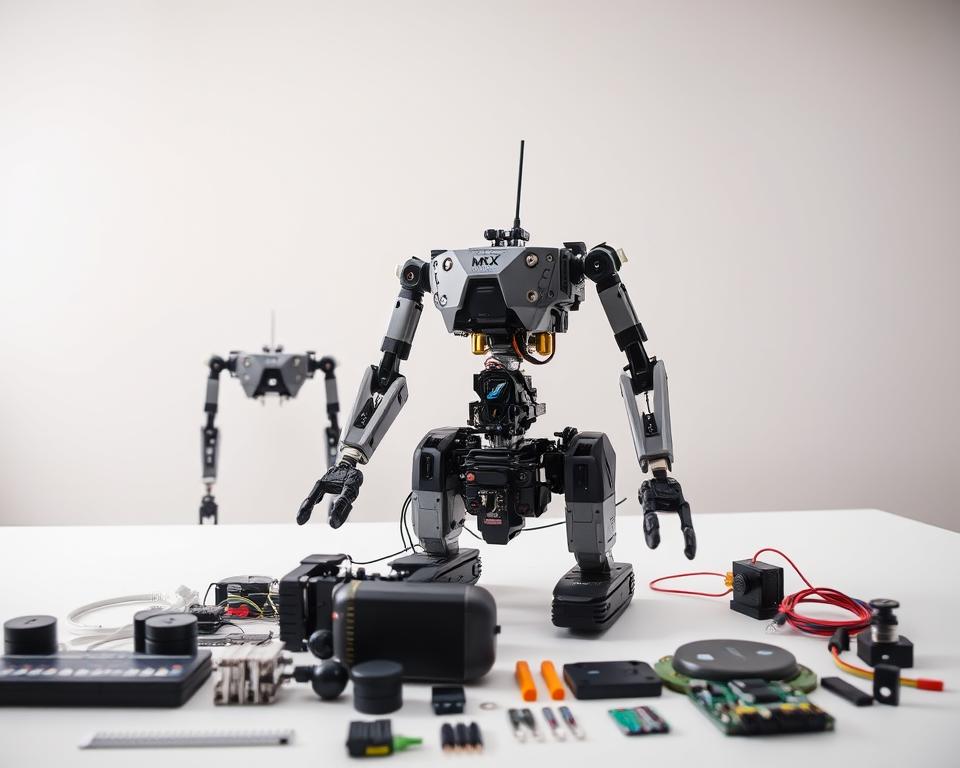
Are you ready to bring your robotics project to life? Building a biped robot kit is both fascinating and educational. It boosts your understanding of STEM and robotics.
The journey includes designing, assembling, and programming a humanoid robot kit that moves like a human. This guide will help you through each step. It makes creating your own DIY robot kit at home easier.
By following this guide, you’ll get hands-on robotics experience. You’ll also improve your problem-solving and creativity. This project is great for hobbyists and educators alike, offering a deep dive into robotics.
Key Takeaways
- Understand the basics of building a biped robot kit
- Learn the design and assembly process
- Discover programming techniques for humanoid robots
- Enhance STEM education through hands-on robotics projects
- Develop problem-solving skills and creativity
What is a Biped Robot Kit?
Biped robot kits are designed for hands-on learning in robotics and programming. They are educational tools. Users can learn about robotics, mechanical assembly, and programming in a practical way.
Definition and Purpose
A biped robot kit is a robotic assembly kit that lets users build and program a two-legged robot. It’s meant to teach about robotics, mechanics, and programming through a project.
The kits come with parts like motors, sensors, and a microcontroller. These are key for building and controlling the robot. By working on the robot, users get real-world experience in robotics and programming.
Popular Applications
Biped robot kits are widely used in education. They are educational robot kits in schools and colleges. They help teach robotics, programming, and STEM concepts.
Some key uses include:
- Teaching robotics and programming concepts
- Developing problem-solving skills
- Encouraging innovation and creativity
- Preparing students for tech and engineering careers
They are also used in research and development. Here, they help test new robotics algorithms and technologies.
| Application | Description | Benefits |
|---|---|---|
| Education | Used to teach robotics, programming, and STEM concepts | Develops problem-solving skills, encourages innovation |
| Research and Development | Platform for testing new robotics algorithms and technologies | Advances robotics research, fosters innovation |
| Hobbyist Projects | Used by hobbyists to build and customize biped robots | Encourages creativity, provides a challenging project |
In conclusion, biped robot kits are versatile STEM robotics kits. They offer educational and research opportunities. These kits are key in teaching the next generation of robotics engineers and programmers.
Advantages of Building a Biped Robot
Building a biped robot kit is a tough but rewarding project. It helps you develop skills and creativity. Creating a biped robot is exciting and offers many benefits, like improving technical skills and encouraging new ideas.
Skill Development
Assembling a DIY robot kit needs many skills, like programming and engineering. Working on the robot, you learn by doing. This makes you better at these technical areas.
Building a biped robot also teaches you to solve problems and fix issues. These skills are key in robotics. By solving these problems, you learn more about how robots work and how to make them better.
Innovation and Creativity
A humanoid robot kit lets you be creative and try new things. You can experiment with different designs and features. This creativity comes from trying and improving your robot.
Being able to change and add to your biped robot makes you think outside the box. This creative thinking is useful in many areas of life and work.
Key Components of a Biped Robot Kit
Knowing the main parts of a biped robot kit is key for setting it up and using it. A good robotic assembly kit has important parts that work together. This brings the robot to life.
Motors
Motors are crucial in any STEM robotics kit. They give the robot its movement. The quality of the motors affects how well the robot moves and stays stable.
- Servo motors are often used in biped robots for precise control.
- DC motors are another choice, known for their simplicity and reliability.
Sensors
Sensors are vital for a biped robot to interact with its surroundings. They give the robot the data it needs to stay balanced and move around.
| Sensor Type | Function |
|---|---|
| Accelerometer | Measures acceleration and tilt |
| Gyroscope | Provides orientation and angular velocity |
Microcontrollers
The microcontroller is the robot’s brain. It carries out instructions and controls the robot’s parts. Arduino and Raspberry Pi boards are popular choices for biped robots.
When picking a microcontroller for your educational robot kit, think about its power, compatibility, and how easy it is to program.
Choosing the Right Biped Robot Kit
Finding the perfect biped robot kit can be tough, whether you’re new or experienced. It’s all about knowing what kits are out there and what you need for your project.
Beginner vs. Advanced Kits
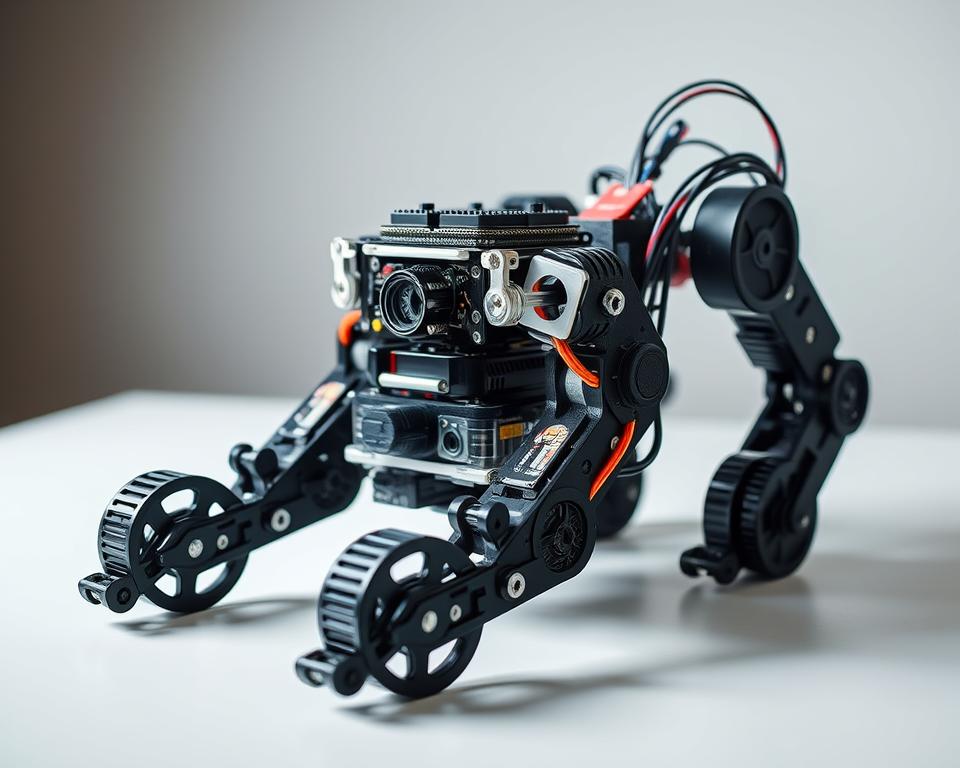
Kits for biped robots come in all shapes and sizes. Beginners get kits that are easy to put together and simple to program. More experienced folks can dive into kits with lots of features and complex tasks.
Key differences between beginner and advanced kits include:
- Complexity of assembly
- Programming requirements
- Number of features and functionalities
For example, a beginner kit might have a basic microcontroller and a few sensors. But an advanced kit could have a powerful microcontroller and many sensors for better interaction.
Considerations for Selection
When picking a biped robot kit, think about a few important things. These help make sure the kit fits your project’s needs. Consider:
| Consideration | Description | Importance Level |
|---|---|---|
| Skill Level | Check if the kit matches your skill level. | High |
| Kit Complexity | Look at how hard it is to put together and program. | High |
| Cost | Think about your budget for the kit and any extra parts. | Medium |
| Expandability | See if you can add new things to the kit later. | Medium |
As robotics expert, John Doe, once said,
“The key to a successful robotics project lies in choosing the right kit that aligns with your skill level and project goals.”
By looking at these points and knowing the difference between beginner and advanced kits, you can pick the best biped robot kit.
Assembling Your Biped Robot
With your educational robot kit, the first step is to understand how to assemble it. Building a biped robot needs careful attention and a clear plan.
Necessary Tools
Before starting, make sure you have the right tools. A robotic assembly kit usually includes:
- Precision screwdrivers
- Pliers for gripping small parts
- Cable ties for wire management
- A workbench or assembly mat for organization
Having these tools ready will make assembly easier and prevent damage to parts.
Step-by-Step Assembly Process
Assembling a STEM robotics kit like a biped robot involves several steps:
- Unpacking and Inventory: Unpack all parts and check them against the inventory list.
- Frame Assembly: Start with the robot’s frame, following the instructions.
- Motor Installation: Put in the motors, making sure they’re attached well and aligned right.
- Sensor and Microcontroller Installation: Mount the sensors and microcontroller, connecting them as shown in the wiring diagram.
- Final Checks: Check all connections again and make sure the robot is fully assembled before turning it on.
By following these steps and using the tools from your robotic assembly kit, you can build your biped robot. This hands-on experience is key to learning with a STEM robotics kit.
Programming Your Biped Robot
Now that your biped robot is built, it’s time to start programming. Programming lets you decide how your robot will act and what it can do. It’s key whether you’re using a programmable robot kit or a DIY robot kit.
Recommended Programming Languages
Choosing the right programming language for your humanoid robot kit is important. C++ and Python are popular choices. C++ is great for precise control, while Python is simpler and better for beginners.
Basic Programming Concepts
Basic concepts like loops, conditional statements, and functions are essential. They help your robot do complex things. Loops let it repeat actions, and conditional statements help it make choices based on what it senses.
Learning these concepts well is crucial for a smart biped robot. As you get better, you can learn about machine learning and sensor integration. This will make your robot even more advanced.
Mastering programming for your DIY robot kit will make it come to life. You’ll also learn valuable skills in programming and robotics. These skills can help you with many other projects and are a big step towards becoming good at robotics.
Testing Your Biped Robot
Testing a biped robot involves several key steps. These include troubleshooting and performance evaluation. It’s important to make sure your robotic assembly kit works right.
Testing is more than just seeing if the robot works. It’s also about finding and fixing problems. This includes checking for mechanical issues, sensor problems, and programming errors.
Troubleshooting Common Issues
When you’re troubleshooting your STEM robotics kit, start with the power supply. Make sure all connections are tight. Common problems include motor issues, sensor calibration errors, and software bugs.
- Check for loose connections or damaged cables.
- Verify that the microcontroller is properly programmed.
- Calibrate sensors according to the manufacturer’s instructions.
If your educational robot kit isn’t working, it might have a faulty motor or wrong programming. Look in the user manual or online for help.
“The key to successful robotics is not just in the assembly, but in the testing and iteration process.”
Performance Evaluation Methods
To check how well your biped robot works, look at its stability, mobility, and how fast it responds. You can test these by:
| Parameter | Test Method | Expected Outcome |
|---|---|---|
| Stability | Stand on a flat surface | Remain upright without falling |
| Mobility | Walk on a predetermined path | Follow the path without deviation |
| Responsiveness | Respond to sensor inputs | Change direction or speed as programmed |
By testing and checking your biped robot, you can find ways to make it better. This improves its overall performance.
Effective testing is crucial for the successful operation of your biped robot. It makes sure the robot works right and finds problems early.
Enhancements and Modifications
A programmable robot kit is a great start, but you can make it even better. After building and testing your robot, you might want to boost its performance. This can make it do more and do it better.
One way to enhance your robot is by improving its sensors. Better sensors help your robot move around and interact with its world more smoothly.
Upgrading Sensors
Improving sensors means swapping out old ones for new, better ones. Or, you can add new sensors to get more information. For example, LiDAR sensors help with navigation, and camera modules let your robot see and track objects.
| Sensor Type | Functionality | Benefits |
|---|---|---|
| LiDAR | Navigation and Mapping | Improved accuracy and range |
| Camera Module | Object Recognition | Enhanced interaction capabilities |
| Infrared | Obstacle Detection | Better collision avoidance |
Customizing Designs
Changing up your DIY robot kit or humanoid robot kit can also make a big difference. You can tweak the mechanical parts, add new features, or use different materials. This can make your robot stronger, look better, or both.
You can make your robot unique by using different materials or adding custom parts. This not only makes it look cool but can also make it work better.
Safety Considerations
Safety is key when working with biped robots. This is true whether you’re using an educational robot kit for learning or a more advanced robotic assembly kit. It’s important to make sure your workspace is safe for these robots to work well.
Electrical Safety
When you’re building and using a biped robot, electrical safety is a big deal. You need to make sure all electrical parts are well-insulated and there are no short circuits. People using STEM robotics kits should be extra careful with batteries and motors.
- Always follow the maker’s instructions for charging and handling batteries.
- Make sure all electrical connections are tight and safe from damage.
- Check your robot’s electrical parts often for wear or damage.
Operational Safety Tips
There are also important operational safety tips for biped robots. Make sure the robot is used in a safe, open area. This area should be free from obstacles and things that can catch fire.
- Always test your biped robot in a safe place to avoid accidents.
- Know what’s around you when you’re using the robot to avoid crashes or other problems.
- Keep your robot’s software and hardware up to date for the best safety and performance.
By following these safety tips, users of robotic assembly kits and educational robot kits can have a safe and fun time building and using their biped robots.
Learning Resources
Creating a biped robot is easier with good educational resources. Whether you’re new or experienced, the right tools and info are key.
Online Tutorials
Online tutorials are a great help for building and programming biped robots. Sites like YouTube, Udemy, and Coursera have many tutorials. They cover basics to advanced programming.
- Tutorials on DIY robot kits explain the mechanical parts.
- Programming tutorials teach you how to code for your programmable robot kit.
For example, a YouTube tutorial might show how to set up sensors on your educational robot kit. This ensures it moves right.
Community Forums
Community forums are also great. Sites like Reddit, Stack Overflow, and robotics forums have lots of robotics talks. This includes biped robots.
“The best way to get help is to ask the right questions, and the robotics community is known for being helpful and informative.” – Robotics Forum User
Joining these forums can give you tips on fixing problems, learning new tech, and getting feedback on your projects.
| Resource Type | Description | Benefit |
|---|---|---|
| Online Tutorials | Step-by-step guides on building and programming | Hands-on experience with DIY robot kits |
| Community Forums | Discussion platforms for robotics enthusiasts | Troubleshooting and project feedback |
Using these resources can really improve your skills in making and coding biped robots. Whether it’s through tutorials or forums, help is there to support you with your programmable robot kit or DIY robot kit.
Real-World Examples of Biped Robots
Biped robots are now used in many areas, from research to industry. They are built with humanoid robot kits or robotic assembly kits. These robots move like humans, solving problems in different fields.
Case Studies
Many case studies show biped robots working well in various sectors. In labs, they help study how humans walk. In factories, they do tasks that need human skills.
- A team used a STEM robotics kit to make a biped robot that walks like a human on tough terrains.
- A factory used biped robots to do tasks that old robots couldn’t handle.
Industry Innovations
Biped robots have led to new ideas in robotics and AI. Companies are making robotic assembly kits better. This makes it easier to change and improve biped robots.
Some big improvements include:
- Systems that help biped robots stay balanced in tough places.
- AI that lets biped robots learn and change how they act.
These changes make biped robots better and more available. They help researchers, students, and businesses with humanoid robot kits.
The future of biped robots is bright. More research and development will make them even better and more useful.
Future of Biped Robotics
The future of biped robotics is exciting and full of possibilities. These robots are getting smarter and more advanced. They will change many industries in big ways.
Biped robots, like those from a programmable robot kit, are becoming popular in schools. They let students learn by doing, teaching them about programming and engineering.
Emerging Trends
New trends are making biped robots even better. Robots are getting better at moving around thanks to new sensors and AI.
More people are using DIY robot kits to make their own robots. This is creating a community of people who love to invent and explore with biped robots.
| Trend | Description | Impact |
|---|---|---|
| Advanced Sensors | Integration of sophisticated sensors for better navigation | Improved performance in complex environments |
| AI Algorithms | Use of AI for enhanced decision-making | Increased autonomy and efficiency |
| DIY Robot Kits | Customizable kits for hobbyists and enthusiasts | Fostering innovation and community engagement |
Potential Applications
Biped robots have many uses. In schools, educational robot kits help teach programming and robotics.
They could also help in healthcare, assisting with patient care and helping people recover. Their ability to move around in human spaces makes them perfect for this.
As biped robotics gets better, we’ll see even more cool uses. The future looks bright, thanks to new tech and the creativity of robotics fans.
Conclusion
Building and programming a biped robot is a rewarding journey. It gives you insights into robotics and programming. The robotic assembly kit is a great starting point for learning about the mechanics and electronics.
Key Takeaways
The article covers the basics of biped robotics. It talks about the key components, how to assemble them, and programming. This knowledge helps you understand the field better and grow your skills.
Exploring Further
The field of biped robotics is always changing. New trends and technologies are emerging. Whether you’re just starting or already experienced, there’s always something new to discover and create with a robotic assembly kit.
FAQ
What is a biped robot kit?
A biped robot kit is a DIY kit for building a two-legged humanoid robot. It’s great for learning about STEM and robotics.
What are the benefits of building a biped robot kit?
Building a biped robot kit boosts your STEM skills. It also encourages creativity and helps you learn programming and engineering.
What are the key components of a biped robot kit?
The main parts of a biped robot kit are motors, sensors, and microcontrollers. These parts work together to make the robot move and function.
How do I choose the right biped robot kit?
When picking a biped robot kit, think about your skill level. Look at the kit’s complexity, price, and how it fits your goals.
What programming languages are recommended for biped robots?
For biped robots, use Python, C++, or other languages that match the robot’s microcontroller. This ensures smooth programming.
How do I troubleshoot common issues with my biped robot?
To fix common problems, check the sensors, motors, and microcontrollers. Online resources and forums can also offer helpful advice.
Can I customize my biped robot?
Yes, you can make your biped robot your own. Upgrade sensors, change its design, and add new features to improve its abilities.
What safety considerations should I keep in mind when building and operating a biped robot?
Be careful with electrical and operational safety when working with biped robots. Follow assembly and usage guidelines to stay safe.
Where can I find learning resources for building and programming biped robots?
For learning, check out online tutorials, forums, and other platforms. They offer support and guidance for building and programming biped robots.
What are some real-world examples of biped robots?
Biped robots are used in many fields like research, education, and entertainment. They range from simple DIY kits to advanced humanoid robots.