Creating a DIY robot that’s as big as a human is a tough but fulfilling task. It needs careful planning, exact engineering, and a solid grasp of robotic engineering basics.
Starting this project, you’ll face many challenges. From picking the best materials to designing the robot’s structure. But with the right advice, you can beat these obstacles and make a working human size robot.
This article will give you a detailed guide on making your own DIY robot. We’ll cover key points like choosing materials, designing, and putting it together.
Key Takeaways
- Understand the fundamental principles of robotic engineering
- Learn how to select the right materials for your DIY robot
- Discover design considerations for building a human-size robot
- Get tips on assembling and troubleshooting your robot
- Explore the possibilities of customizing your DIY robot
Understanding Human-Size Robots
Human-size robots could change many fields, like healthcare and manufacturing. They look and move like humans. This lets them work in ways humans do.
What Defines a Human-Size Robot?
A human-size robot is tall and can do tasks humans can. They are about 1.5 to 1.8 meters tall. They can move around and work in spaces made for people.
These robots have a few key traits:
- They look like humans
- They can do tasks humans do
- They have advanced senses and movement
Key Applications of Human-Size Robots
Human-size robots are used in many areas. Some main uses are:
- Healthcare: helping in surgeries, caring for patients, and helping with recovery
- Manufacturing: doing assembly, checking things, and keeping things running
- Service industries: helping with customer service, hospitality, and housework
Experts say, “The future of robots is in ones that fit into human spaces easily.” This is key for robots to be widely used.
Safety Considerations in Design
When making human-size robots, safety is top priority. They must work safely with people, avoiding accidents or harm.
Important safety points are:
- They should be able to detect and avoid collisions
- They should have soft parts that can bend when hit
- They need strong control systems for unexpected events
By focusing on safety, makers can create robots that are useful and safe to be around.
Essential Tools and Materials Required
Building a DIY robot needs the right tools and materials. Creating a human-size robot is a big task. It requires careful planning and execution.
Common Tools for DIY Robotics
Having the right tools is key in DIY robotics. Some common tools include:
- Drill Press: For making precise holes in various materials.
- Hand Saw or Bandsaw: For cutting metal or PVC pipes.
- Pliers and Wire Cutters: For handling and cutting wires.
- Screwdrivers: Both flathead and Phillips head screwdrivers are essential.
- Multimeter: For measuring voltage, current, and resistance.
As robotic innovations grow, so do the tools in DIY robotics. These tools now offer more precision and efficiency.
Sourcing Materials for Your Robot
Finding the right materials is as crucial as having the right tools. For a human-size robot, you need materials that are strong, durable, and flexible. Common materials include:
| Material | Use | Properties |
|---|---|---|
| PVC Pipes | Frame and structural components | Lightweight, corrosion-resistant |
| Aluminum or Steel | Frame and mechanical parts | Strong, durable |
| ABS Plastic | Casing and coverings | Impact-resistant, easy to shape |
Experts in DIY robotics say choosing the right materials is key. It affects the robot’s performance and how long it lasts.
“The choice of materials can make or break your robotics project. It’s essential to consider factors like weight, strength, and durability.” – Robotics Expert
Recommended Hardware Components
The hardware components are the heart of your robot. They determine how well it works and how efficient it is. Key components to think about include:
- Microcontrollers: Such as Arduino or Raspberry Pi, for controlling the robot’s functions.
- Motors: Servo motors or DC motors, depending on the required precision and torque.
- Sensors: Ultrasonic sensors, infrared sensors, or cameras for navigation and interaction.
- Batteries: Rechargeable batteries like LiPo or NiMH, chosen based on power requirements.
Choosing the right hardware components is vital. It ensures your human-size robot works as you want it to.
Planning Your Robot’s Design
A good design is key to a successful robotic engineering project. This stage is vital as it sets the base for the whole build. It makes sure your DIY human-size robot works well and is efficient.
Sketching Your Robot’s Blueprint
The first step is to make a detailed blueprint. Sketch out your robot’s parts, like the frame, actuators, and control systems. A good blueprint helps you see the final robot and spot problems early.
Use software for technical drawings to make your blueprint. Tools like CAD software and graphic design programs are great for precision and easy changes.
Factors to Consider in Design
When planning your robot, think about a few key things. These include what your robot will do, where it will be used, and what materials to use. For example, if it’s for outdoor use, it needs to handle weather and have good mobility.
- Determine the primary function of your robot.
- Consider the environmental conditions it will face.
- Choose materials that are durable and suitable for the robot’s purpose.
Iterating on Your Initial Ideas
Designing a robot is a back-and-forth process. After your first blueprint, look it over and make changes as needed. You might need to tweak the design for certain parts or make it simpler to build.
It’s important to keep refining your design. Make big changes if they make your robot better and more practical.
Choosing the Right Actuators
When building a human-size robot, picking the right actuators is key. Actuators help the robot move and do tasks. The actuator you choose affects how well the robot works.
Types of Actuators: Pros and Cons
Robots use electric, hydraulic, and pneumatic actuators. Each has its own good points and downsides.
- Electric Actuators: These are popular for their precision and control. They’re great for tasks needing high accuracy.
- Hydraulic Actuators: They pack a lot of power in a small package. But, they need a hydraulic system, which can be complicated.
- Pneumatic Actuators: These use air to move. They’re fast but might not be as precise as electric ones.
As noted by robotics expert,
“The choice of actuator is crucial for the robot’s ability to perform tasks efficiently and effectively.”
Electrical vs. Mechanical Actuation
The debate between electrical and mechanical actuation is ongoing. Electrical actuation is precise and good for delicate tasks. Mechanical actuation is strong and used for tasks needing a lot of force.
Electrical actuation is best for robotic arms and grippers needing precision. Mechanical actuation is used in robots needing to move or lift heavy things.
Selecting the Right Size and Power
Choosing the right size and power for actuators is crucial. You need to think about the robot’s weight, tasks, and speed and precision needed.
| Actuator Type | Power Requirement | Precision Level |
|---|---|---|
| Electric | Low to Medium | High |
| Hydraulic | High | Medium |
| Pneumatic | Medium | Low to Medium |
By carefully evaluating these factors and understanding the pros and cons of different actuator types, developers can make informed decisions to enhance their robot’s performance.
Integrating a Control System
Adding a control system to your robot is key for its success. It lets the robot do tasks, make choices, and talk to its world.
Overview of Control Systems
A control system in robotics is made of hardware and software. It manages the robot’s actions and how it responds. It uses sensors, actuators, and processing units to work well.
The system takes data from sensors, decides based on programs, and tells actuators what to do.
Microcontrollers vs. Single Board Computers
Choosing the right control system for your robot is important. You can pick between microcontrollers and single-board computers. Microcontrollers are small and use little power, great for simple tasks. Single-board computers, like Raspberry Pi, are more powerful and flexible for complex projects.
Microcontrollers are good for controlling a few parts, like in simple robotic arms. Single-board computers are better for advanced robotics because they can handle more.
Programming Basics for Robotics
Programming is essential for a control system in your robot. It’s about writing code that tells the robot what to do. You need to know about variables, loops, and if-then statements.
Popular programming languages for robots include Python, C++, and Arduino’s IDE. The language you choose depends on your robot’s hardware and what you want it to do.
Designing for Mobility
Mobility is key in designing human-size robots. It lets them do tasks well. They can move around and interact with their space for service, fun, or research.
Choosing the Right Locomotion Method
Choosing the right way for a robot to move is very important. There are a few ways, like walking on two legs, using wheels, or tracks. Bipedal locomotion looks like human walking and is good for places made for people. Wheeled locomotion is simple and stable. Tracked locomotion works well on different grounds.
The right choice depends on what the robot will do. For example, a rescue robot might use tracks for tough terrain. A home robot might walk on two legs for stairs and small spaces.
Balancing for Stability
Staying stable is very important for robots that walk on two legs. It’s about the robot’s balance, weight, and how it touches the ground.
“The key to balance is not just in the hardware but also in the algorithms that control the robot’s movements.”
Advanced sensors and smart algorithms help the robot stay balanced. They make quick changes to keep the robot steady.
Testing Mobility Prototypes
Testing is a big part of making a mobile human-size robot. Prototypes help check designs and find problems. Tests should be like real situations to make sure the robot works well.
Testing and improving are key to getting the robot right. By always checking and making changes, developers can make a robot that works well and is safe.
Implementing Sensory Features
Advanced robotics includes adding sensory features to human-size robots. These features help them understand and adapt to their surroundings. They are key for robots to see, decide, and interact with humans and objects.
Types of Sensors for Human-Size Robots
Human-size robots use different sensors for better sensing. These include:
- Proximity sensors for detecting nearby objects
- Infrared sensors for navigation and obstacle avoidance
- Ultrasonic sensors for distance measurement
- Visual sensors, such as cameras, for capturing and interpreting visual data
The right sensors depend on the robot’s task and how it interacts with its environment. For example, service robots might need proximity and visual sensors to move and do tasks well.
Integrating Vision Systems
Vision systems are key for human-size robots to understand visual data. Integrating vision systems means:
- Choosing cameras based on resolution and view
- Using image processing algorithms to analyze data
- Recognizing and tracking objects
Experts say,
“The ability to interpret visual information is essential for robots to perform complex tasks and interact with their environment in a meaningful way.”
Enhancing Interaction with Touch Sensors
Touch sensors improve how human-size robots interact by letting them feel tactile information. These sensors help with:
- Detecting physical contact with objects or humans
- Measuring the force applied during interactions
- Enabling robots to respond to touch inputs
Touch sensors are crucial for robots that help or interact closely with humans. They let robots interact more and respond to user inputs in a more detailed way.
Powering Your Robot
Building a reliable human-size robot needs good power management. The power system is crucial. It affects the robot’s autonomy, efficiency, and performance.
Understanding Power Sources
Robots can use batteries, solar panels, or wired connections for power. The right choice depends on the robot’s use, how it moves, and its design.
- Batteries: They’re portable and easy to use.
- Solar Panels: Best for outdoor robots with lots of sunlight.
- Wired Connections: Good for robots that stay in one place or have a cord.
Battery Types and Their Applications
There are many battery types, each with its own benefits. Knowing these can help pick the best one for your robot.
| Battery Type | Characteristics | Applications |
|---|---|---|
| Lithium-ion | High energy density, long cycle life | Mobile robots, drones |
| Lead-acid | Low cost, robust | Heavy-duty robots, backup power systems |
| Nickel-cadmium (NiCd) | Good performance at high discharge rates | High-drain applications, power tools |
Energy Efficiency Tips
Keeping your robot’s energy use low is key. Here are some tips:
- Optimize Motor Efficiency: Choose high-efficiency motors and fine-tune their control.
- Reduce Power Consumption: Turn off parts you don’t need to use.
- Use Power-Saving Modes: Have low-power modes for when the robot is idle.
Good power management boosts your robot’s performance and reliability. It’s all about making smart choices.
Building a Robust Frame
A sturdy frame is key for any human-size robot. It gives the robot the strength it needs to work well and last long. The frame holds the robot’s weight and stands up to outside forces, making its design and build very important.
Material Selection
Choosing the right materials for the frame is crucial. It affects the robot’s strength, how much it weighs, and how well it resists rust. Common choices include aluminum, steel, and advanced composites like carbon fiber.
Aluminum is great because it’s light and doesn’t rust easily. It’s perfect for robots that need to move around and last a long time. Steel is strong and used when the robot needs to carry heavy loads. Carbon fiber composites are light and strong, making them ideal for high-performance robots.
| Material | Strength | Weight | Corrosion Resistance |
|---|---|---|---|
| Aluminum | Medium | Light | High |
| Steel | High | Heavy | Medium |
| Carbon Fiber | High | Very Light | High |
Structural Design Principles
The design of the frame must balance strength, weight, and cost. Using principles like triangulation can make the frame more stable by spreading out the load better.
When designing the frame, think about what the robot will do, the loads it will carry, and where it will work. Finite Element Analysis (FEA) is a great tool for simulating stress and strain. It helps make the design better.
Methods for Joining Components
The way components are joined affects the frame’s strength and durability. Common methods include welding, bolting, and adhesive bonding.
Welding creates a strong, lasting bond and works well for metal frames. Bolting makes it easy to take apart and put back together, which is good for prototypes or robots that might need repairs. Adhesive bonding is best for materials that are hard to weld or bolt, like composites.
Wiring and Electronics Setup
A good wiring and electronics setup is key for your human-size robot to work well. It affects how the robot performs and how users feel about it.
Circuit Basics
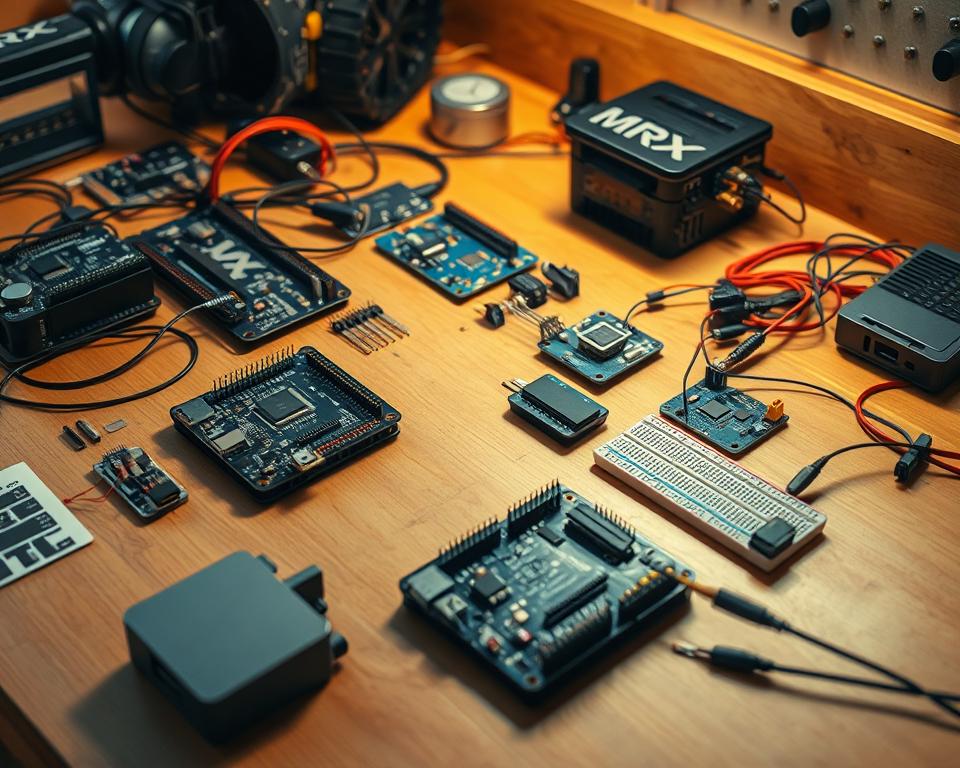
Knowing circuit basics is crucial for a good electronics setup. A circuit is where electric current moves. You need to know about resistors, capacitors, and microcontrollers to make it work.
- Resistors: Control the flow of current.
- Capacitors: Store and release electrical energy.
- Microcontrollers: Act as the brain of your robot, executing programmed instructions.
When making your circuit, think about the power needs of your parts. Make sure your wiring can carry the needed current. A breadboard can help you test and improve your circuit design.
Wiring for Functionality
Wiring is very important for your robot’s electronics. Good wiring lets your robot’s parts talk to each other right. Here’s how to do it well:
- Use the right wire gauges for each part.
- Keep your wiring neat to make fixing problems easier.
- Use connectors and terminals to keep connections tight.
By focusing on wiring, you can make your robot more reliable and better performing. Use colors to tell wires apart and make finding them easier.
Troubleshooting Common Issues
Even with careful planning, problems can still happen. Common issues include short circuits, bad connections, and broken parts. Here’s how to fix them:
- Use a multimeter to check voltage and current.
- Look for damage or wear on your wiring.
- Test parts one by one to find the problem.
Knowing how to fix common problems can save you time and reduce stress. Be careful and patient, and you’ll usually solve problems quickly.
Programming Your Human-Size Robot
Starting to program your human-size robot is exciting. You’ll learn about robotic development. This journey has several important steps to make your robot come to life.
Setting Up Your Development Environment
The first thing is to set up your development environment. You need to pick the right software and tools for your robot. Arduino IDE and Python are popular choices.
Key Considerations:
- Make sure it works with your robot’s hardware
- It should be easy to use
- Look for good community support
For example, if you’re using Arduino, you’ll need to install the Arduino IDE. This software makes it easy to write and upload code to your microcontroller.
Basic Programming Concepts
Knowing basic programming concepts is key. You’ll need to understand variables, loops, conditional statements, and functions. Learning these will help you write better code.
| Concept | Description | Example Use |
|---|---|---|
| Variables | Store and manipulate data | Storing sensor readings |
| Loops | Repeat actions or tasks | Continuous monitoring of sensors |
| Conditional Statements | Make decisions based on conditions | Responding to sensor inputs |
Testing and Debugging Code
Testing and debugging are crucial. They make sure your robot works right and does what it’s supposed to. Start by testing parts separately, then put them together and fix any problems.
Debugging Tips:
- Use serial monitors to track variable values and program flow.
- Implement LED indicators or other visual cues to signal program states.
- Test in small, manageable sections to isolate problems.
By following these steps and practicing, you’ll make your human-size robot work. It will be able to do many tasks on its own.
Establishing Communication Protocols
To make sure your human-size robot works well, you need strong communication protocols. Good communication helps the robot get commands, send back information, and work smoothly.
Understanding Communication Methods
Robotics uses two main ways to communicate: wired and wireless. Wired methods are reliable and easy, but wireless offers more freedom and convenience. The right choice depends on your robot’s needs and what it will do.
Key Considerations for Communication Methods:
- How reliable and secure the data is
- The range and coverage of the system
- How much power it uses and how efficient it is
- How easy it is to set up and keep running
Wireless Communications: Options and Setup
Wireless tech is popular in robotics for its flexibility. You can use Wi-Fi, Bluetooth, or RF signals. Each has its own benefits and fits different uses.
| Technology | Range | Data Rate | Power Consumption |
|---|---|---|---|
| Wi-Fi | Up to 100 meters | High | Moderate to High |
| Bluetooth | Up to 100 meters | Moderate | Low to Moderate |
| RF Signals | Varies widely | Low to High | Low to High |
Experts say, “Choosing the right wireless tech depends on what your robot needs. This includes range, data speed, and power use.”
“Wireless tech has changed robotics, making systems more flexible and independent.” – Robotics Expert
Implementing Remote Control Features
Remote control is key for many robots, letting operators control them from afar. To add remote control, pick a good communication method, design an easy-to-use interface, and make sure data is safe.
Steps for Implementing Remote Control:
- Pick a wireless tech that fits your robot’s needs.
- Create a user-friendly control interface.
- Add encryption and security to protect data.
- Test the remote control system well to make sure it works.
By following these steps and knowing about different communication methods, you can set up good communication for your robot. This lets it work well and follow commands accurately.
Creating a User Interface
An effective user interface is key for any human-size robot. It makes sure the robot and its user can work together smoothly. The design of the interface greatly affects how easy it is to use the robot.
Designing User-Friendly Interfaces
When making a user interface for a humanoid robot, keep it simple and easy to understand. The interface should be straightforward. This makes it simple for users to use the robot without hassle.
Key Considerations:
- Clarity of information display
- Ease of navigation
- Responsiveness to user input
Touchscreen vs. Physical Controls
Choosing between a touchscreen and physical controls depends on the robot’s use and what users like. Touchscreens are flexible and can show lots of information. But, physical controls give a sense of touch and are easier for some tasks.
| Control Type | Advantages | Disadvantages |
|---|---|---|
| Touchscreen | Flexible, can display various information | May lack tactile feedback |
| Physical Controls | Provides tactile feedback, intuitive for certain operations | Limited to predefined functions |
Implementing Feedback Mechanisms
Feedback mechanisms are vital for a good user experience. They help the robot work right. Visual, auditory, and tactile feedback tell users what the robot is doing.
Good feedback lets users know what the robot is up to. This can be through screens, sounds, or vibrations. It helps users adjust as needed.
Effective feedback is key to a seamless user experience.
Testing Your Human-Size Robot
Testing your human-size robot is key to making sure it works right and is safe. It checks if the robot does what it’s supposed to do. It also finds and fixes any problems early on.
Significance of Comprehensive Testing
Testing your robot fully is very important. It checks if the robot can do tasks in different situations. This is crucial for making sure the robot is reliable and safe, like when it’s around people or in tricky places.
Key aspects of comprehensive testing include:
- Evaluating the robot’s performance under different loads and conditions.
- Assessing the durability and robustness of the robot’s components.
- Testing the robot’s ability to adapt to new or unexpected situations.
Designing Effective Test Scenarios
Creating the right test scenarios is essential. These should mimic real-life situations and challenges. This way, you can see how well your robot works and what it can’t do.
Consider the following when designing test scenarios:
- Identify the primary functions and tasks your robot is designed to perform.
- Create scenarios that test these functions under various conditions.
- Include edge cases and extreme conditions to evaluate the robot’s robustness.
Recording and Analyzing Performance Results
Keeping track of your test results is just as important as the testing itself. It helps you see how the robot does over time. You can spot any problems and make it better.
The following table illustrates a simple format for documenting performance results:
| Test Scenario | Expected Outcome | Actual Outcome | Observations |
|---|---|---|---|
| Navigation through a cluttered room | Successful navigation without collisions | Successfully navigated, minor adjustments needed | The robot showed good adaptability but needs fine-tuning for smoother navigation. |
| Object manipulation | Successful grasping and releasing of objects | Objects were grasped and released successfully | Grasping was firm, but releasing had slight delays. |
By following a structured testing plan and keeping detailed records, you can greatly improve your human-size robot’s performance and reliability.
Final Adjustments and Modifications
After testing your robot, it’s time to make it better. You’ve already built and tested your DIY human-size robot. Now, you need to fine-tune its abilities.
Evaluating Performance After Testing
Start by looking at the data from your tests. Check how well it moves, how fast it responds, and how stable it is. Performance evaluation helps find what needs work.
Compare your robot’s performance to what you set out to achieve. This will show if it’s doing what you wanted and where you need to make changes.
Making Necessary Adjustments
After finding what needs fixing, it’s time to make adjustments. You might need to change parts, adjust sensors, or improve how it’s controlled. The aim is to make it work better and more smoothly.
When adjusting, do it step by step. Start with small changes and then move to bigger ones. Test each change to see how it affects the robot.
Upgrading Features for Better Functionality
Think about adding new features to make your robot even better. This could mean adding sensors, improving how it’s controlled, or using smarter algorithms.
Adding new features not only makes your robot better now but also prepares it for the future. Keep up with robotic engineering advancements to keep innovating and growing your robot’s abilities.
Resources for Further Learning
After finishing your DIY human-size robot project, you might want to learn more. There are many resources to help you grow your knowledge. You can dive into advanced robotic innovations and connect with the robotics community.
Recommended Books and Online Courses
Books and online courses can deepen your robotics knowledge. Online tutorials on Coursera and edX teach robotics and programming. Books like “Robotics, Vision & Sensing” and “Robot Building for Beginners” are great for all levels.
Engaging with the Robotics Community
Join online forums and local robotics clubs to meet others. Websites like Reddit’s r/robotics and Robotics Stack Exchange are great for questions and sharing. They help you learn from experts and enthusiasts.
Best Websites for DIY Robotics Projects
Websites like Instructables and Hackaday have lots of DIY robotics projects and tutorials. They inspire new ideas and offer practical help. These sites keep you updated with the latest in robotics.
FAQ
What is a human-size robot?
A human-size robot, also known as a humanoid robot, looks and acts like a human. It’s about the same height and size as an adult.
What are the key applications of human-size robots?
These robots are used in many areas. They help in service, healthcare, education, and entertainment. Their human-like features are very useful.
What safety considerations should be taken into account when designing a human-size robot?
Safety is key. Make sure the robot is stable and balanced. Avoid sharp edges and have an emergency stop to prevent accidents.
What are the essential tools and materials needed for building a human-size robot?
You’ll need mechanical parts like actuators and frames. Also, electrical parts like microcontrollers and sensors. And materials for the body, like metals or advanced polymers.
How do I choose the right actuators for my human-size robot?
Think about the torque, speed, and power needed. Also, decide if you want electrical or hydraulic actuators based on your robot’s needs.
What is the difference between microcontrollers and single-board computers in robotics?
Microcontrollers control specific functions. Single-board computers are more powerful and can run full operating systems. They’re better for complex tasks.
How do I implement sensory features in my human-size robot?
Choose and add sensors like vision, touch, and environmental sensors. This lets the robot see and interact with its surroundings.
What are the options for powering a human-size robot?
You can use different batteries, like lithium-ion or lead-acid. Think about energy efficiency to keep it running longer.
How do I design a robust frame for my human-size robot?
Pick the right materials and design principles. Use good methods to join parts. This ensures the robot is stable and lasts long.
What are the best practices for programming a human-size robot?
Start with a good development environment. Learn basic programming. Test and debug your code well to ensure it works right.
How can I establish effective communication protocols for my robot?
Understand different communication methods. Set up wireless options. Add remote control features for easy interaction.
What are the key considerations for creating a user interface for my human-size robot?
Make the interface easy to use. Choose between touchscreen and physical controls. Add feedback to improve the user experience.
Why is rigorous testing important for a human-size robot?
Testing is key for performance, safety, and reliability. Set up test scenarios, document results, and make adjustments as needed.
Where can I find resources for further learning about human-size robots?
Look for books, online courses, and robotics websites. Also, join the robotics community to learn from others and stay updated.
What are the benefits of engaging with the robotics community?
It’s great for sharing knowledge, collaborating, and learning from others. It helps speed up your projects and keeps you informed.